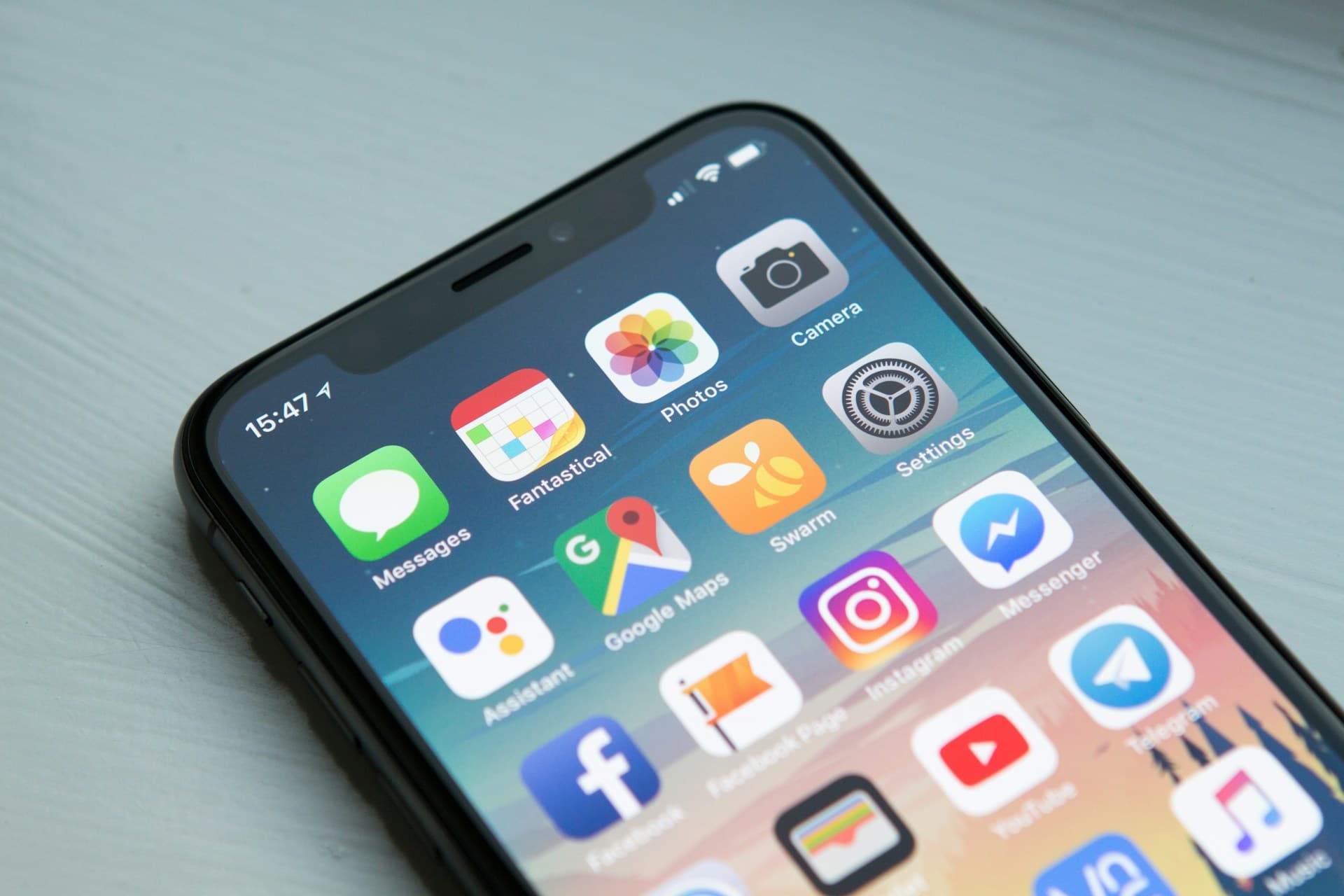

Every year, "best travel apps" lists recommend dozens of apps that no one actually uses. They include obscure currency converters, overhyped restaurant finders, and apps that were last updated in 2022. This is not that list.
These are the 20 apps that live on my phone right now and get used on every single trip. I have tested them across 30+ countries, on spotty Wi-Fi, on planes, and in places where my phone was my only lifeline. Each one has earned its place.
Navigation and Maps
1. Google Maps (Offline Mode)
Google Maps remains the default for a reason. The offline maps feature is the critical part: download the map for every region you will visit before you leave home. Offline maps include turn-by-turn navigation, business listings, and transit directions in many cities.
- Pros: The most comprehensive map data available, excellent public transit directions in major cities, offline mode covers navigation and business search, integrates with ride-sharing and restaurant reservations
- Cons: Offline mode does not include transit directions in all cities, large map downloads can eat phone storage (a major metro area can be 200MB to 500MB), satellite view unavailable offline
- Cost: Free
- Platform: iOS, Android
2. Maps.me
Maps.me uses OpenStreetMap data and is specifically designed for offline use. It often has better coverage of hiking trails, rural roads, and remote areas than Google Maps. Particularly useful in developing countries where Google's coverage can be spotty.
- Pros: Lightweight offline maps, superior trail and footpath coverage, bookmarking system for saving places, works well in areas with limited Google coverage
- Cons: Business listings are less reliable and less current than Google Maps, the interface is less polished, occasional inaccuracies in rural areas
- Cost: Free with optional premium features
- Platform: iOS, Android
3. Citymapper
For urban public transit, nothing beats Citymapper. It shows real-time departures, service disruptions, and the fastest route combining subway, bus, walking, and bike-share. Available in 100+ cities worldwide.
- Pros: Best-in-class public transit routing, real-time departure boards, shows you exactly which train car to board for optimal exits, integrates bike-share and scooter rentals
- Cons: Limited to supported cities (though the list grows constantly), requires data connection for real-time info, not useful outside urban areas
- Cost: Free
- Platform: iOS, Android
Translation and Language
4. Google Translate
The camera translation feature alone makes this indispensable. Point your phone at a menu, a sign, or a medication label, and it translates the text in real time through your camera. Download offline language packs before you travel — they work without any connection.
- Pros: Camera translation is almost magical, conversation mode handles back-and-forth dialogue, offline packs for 50+ languages, completely free
- Cons: Complex or idiomatic phrases often translate awkwardly, handwritten text can be difficult for the camera to read, voice translation needs a quiet environment to work well
- Cost: Free
- Platform: iOS, Android
5. DeepL Translate
DeepL consistently produces more natural, contextually accurate translations than Google Translate, especially for European languages. The text translation quality is noticeably better for longer passages and nuanced communication.
- Pros: Superior translation quality for European languages, better handling of context and idioms, clean interface, supports document translation
- Cons: Fewer supported languages than Google Translate (33 vs 100+), no camera translation feature, offline mode only available on the paid plan, the free tier has character limits
- Cost: Free tier with limits; Pro from $8.74/month
- Platform: iOS, Android
Flight Booking and Tracking
6. Google Flights
Not technically an app (it is a mobile website), but Google Flights is the best flight search tool available. Its date flexibility feature shows you the cheapest days to fly across an entire month. The price tracking and alerts are reliable and genuinely useful.
- Pros: Cleanest interface for flight comparison, date grid shows price variations at a glance, price alerts that actually work, tracks most global airlines, "Explore" feature helps find cheap destinations from your home airport
- Cons: Does not include some budget airlines (notably Southwest), cannot book directly through Google (redirects to airline or OTA), no app — mobile web only
- Cost: Free
- Platform: Mobile web
7. Hopper
Hopper's strength is price prediction. Its algorithm analyzes billions of flight prices and tells you whether to buy now or wait for a price drop. The predictions are surprisingly accurate — the app claims 95% accuracy, and my experience aligns with that.
- Pros: Accurate buy-or-wait price predictions, push notifications when prices drop, clean and intuitive interface, also covers hotels and car rentals, "Price Freeze" feature lets you lock in a price for a fee
- Cons: Sometimes pushes its own "Hopper Deals" which bundle in cancellation insurance at a markup, the app can feel aggressive with upsells, booking through Hopper means dealing with Hopper customer service rather than the airline directly
- Cost: Free to use; booking fees vary
- Platform: iOS, Android
8. Flighty
Flighty is a flight tracking app, not a booking app. It pulls data directly from the FAA and other aviation sources to give you real-time updates on delays, gate changes, and cancellations — often before the airline's own app notifies you.
- Pros: Faster and more detailed flight status updates than airline apps, shows the inbound aircraft's location so you can predict delays, beautiful interface, integrates with Apple Watch, shareable flight status links
- Cons: Annual subscription is not cheap ($49.99/year for full features), flight tracking only — no booking, primarily iOS-focused (Android version is newer and less mature)
- Cost: Free tier with limited features; $49.99/year for Pro
- Platform: iOS, Android
Accommodation
9. Booking.com
Booking.com has the largest inventory of accommodations globally, with over 28 million listings. Its free cancellation policy on most listings makes it the safest choice for booking hotels and guesthouses, especially if your plans might change.
- Pros: Largest global inventory, most listings have free cancellation, genuine guest reviews (only verified stays can review), Genius loyalty discounts after 2 stays, price match guarantee
- Cons: Prices are not always the cheapest (always compare with the hotel's direct website), the app sends aggressive push notifications by default, some "deals" are inflated original prices with a fake discount
- Cost: Free to use; commission built into prices
- Platform: iOS, Android
10. Hostelworld
If you are a budget traveler or a solo traveler, Hostelworld is essential. It is the largest hostel booking platform with detailed reviews that cover exactly what matters: atmosphere, cleanliness, security, location, and staff quality.
- Pros: Unmatched hostel inventory, reviews are detailed and specific, "Talk" feature lets you chat with other travelers at the same hostel, atmosphere ratings help you find party hostels vs quiet ones, maps show hostel locations relative to key areas
- Cons: Only hostels — no hotels or guesthouses, requires a small deposit at booking (usually 10 to 15 percent), the app can be slow during peak booking times
- Cost: Free to use; small deposit at booking
- Platform: iOS, Android
11. Airbnb
Love it or hate it, Airbnb fills a gap that hotels cannot: unique stays, local neighborhoods, full kitchens, and space for groups. For stays of a week or more, the per-night cost often undercuts hotels, especially for families or groups that would need multiple hotel rooms.
- Pros: Unique and local accommodation options, full kitchens save money on food, good for groups and families, "Experiences" feature for local activities, monthly stay discounts are significant
- Cons: Cleaning fees and service fees can inflate the advertised price substantially, quality varies wildly, check-in processes can be complicated, cancellation policies vary by host, recent controversies about hidden cameras and misleading listings
- Cost: Free to use; service fees on bookings
- Platform: iOS, Android
Money and Currency
12. Wise (formerly TransferWise)
Wise is the single best financial tool for international travel. Their multi-currency debit card converts money at the real mid-market exchange rate with a small transparent fee (usually 0.35 to 1 percent). No hidden markups. You can hold and convert 40+ currencies in the app.
- Pros: Best exchange rates available (mid-market rate), transparent and low fees, hold multiple currencies simultaneously, instant spending notifications, virtual card numbers for online purchases, free ATM withdrawals up to a monthly limit
- Cons: Free ATM withdrawal limit is $100/month (then 1.75% fee), not a full bank account (limited features compared to a traditional bank), card delivery takes 1 to 2 weeks
- Cost: Free account; small conversion fees
- Platform: iOS, Android
13. XE Currency
A simple, reliable currency converter. It works offline once you have downloaded the rates, and the interface is fast enough for quick mental math at a market or restaurant.
- Pros: Works offline, clean and fast interface, supports every world currency including crypto, rate alerts for favorable exchange rates, Apple Watch app for quick glances
- Cons: It is just a converter — no sending or spending features, ads on the free version, rate data can be slightly delayed offline
- Cost: Free with ads; $4.99 for ad-free
- Platform: iOS, Android
Communication
14. WhatsApp
In most of the world outside the United States, WhatsApp is the default communication app. Hotels, tour operators, taxi drivers, and local businesses use it as their primary channel. You need it.
- Pros: Used by 2+ billion people worldwide, free voice and video calls over Wi-Fi or data, end-to-end encryption, no phone number sharing required for business chats, file sharing for booking confirmations and tickets
- Cons: Requires a phone number to register, media quality is compressed, not widely used within the US (so your American contacts might not have it), owned by Meta with associated privacy concerns
- Cost: Free
- Platform: iOS, Android
15. Airalo
Airalo sells eSIMs for 200+ countries and regions. Buy a data plan before you land, activate it when you arrive, and skip the hassle of finding a local SIM card shop. Plans are surprisingly affordable.
- Pros: Covers 200+ countries, plans start as low as $4.50 for 1GB, install before you travel and activate on arrival, regional eSIMs cover multiple countries (great for Europe or Southeast Asia), no physical SIM swap needed
- Cons: Your phone must support eSIM (most phones from 2020 onward do), data only — no local phone number for calls or SMS, customer support can be slow, some eSIMs have limited validity periods
- Cost: Plans from $4.50; varies by country and data amount
- Platform: iOS, Android
Organization and Safety
16. TripIt
Forward your booking confirmation emails to TripIt, and it automatically creates a master itinerary with all your flights, hotels, car rentals, and activities in one place. The timeline view makes it easy to see your entire trip at a glance.
- Pros: Automatic itinerary creation from forwarded emails, works with most booking platforms, offline access to all trip details, shareable itineraries for travel companions, the Pro version includes real-time flight alerts and alternative flight suggestions
- Cons: The free version has limited features (Pro is $49/year), occasionally misparses emails or creates duplicate entries, does not handle non-email bookings well (manual entry required)
- Cost: Free basic; $49/year for Pro
- Platform: iOS, Android
17. bSafe
A personal safety app with features designed for travelers. It includes an SOS button that sends your GPS location to pre-selected emergency contacts, a "Follow Me" feature that lets contacts track your location in real time, and a fake call feature to get out of uncomfortable situations.
- Pros: SOS alert with automatic GPS sharing, live location tracking for trusted contacts, fake incoming call feature, voice-activated SOS, timer alert (if you do not check in by a set time, it alerts your contacts)
- Cons: Requires data or Wi-Fi to send alerts, the free version has limited features, battery drain from continuous GPS tracking, less useful in areas with no cellular coverage
- Cost: Free basic; Premium $29.99/year
- Platform: iOS, Android
Food and Dining
18. Google Maps (Restaurant Reviews)
Rather than recommending a separate restaurant app, I recommend using Google Maps for dining. Its restaurant reviews are now more comprehensive than Yelp in most international cities, and you can filter by cuisine, price, rating, and hours.
- Pros: Integrated with navigation (find a restaurant and navigate there in one app), reviews in multiple languages, photos of dishes from real diners, "Popular Times" feature shows how crowded a restaurant is, works in almost every country
- Cons: Review quality varies by country, some reviews are fake or incentivized, the algorithm favors popular spots over hidden gems
- Cost: Free
- Platform: iOS, Android
19. HappyCow
For vegetarian, vegan, or plant-based travelers, HappyCow is essential. It maps vegetarian-friendly restaurants, health food stores, and fully vegan eateries in cities worldwide. The community is active, and reviews are trustworthy.
- Pros: The definitive guide to plant-based dining globally, user reviews from an engaged community, filter by vegan, vegetarian, or "veg-options" restaurants, offline access with the paid app
- Cons: The app costs $4.99, limited coverage in smaller cities and rural areas, desktop website is free but less convenient than the app
- Cost: $4.99 one-time purchase
- Platform: iOS, Android
AI Travel Planning
20. TripGenie
Full disclosure: this is our app, and obviously we are biased. But we built TripGenie because we were frustrated with the existing options for trip planning. TripGenie uses AI to generate complete, personalized itineraries based on your destination, travel dates, budget, interests, and pace preferences.
- Pros: Generates full day-by-day itineraries in seconds, considers your budget and travel style, includes restaurant and activity recommendations tailored to your interests, adjustable plans — swap out anything you do not like, growing library of destination-specific inspiration, works for solo, couple, family, and group travel
- Cons: AI-generated suggestions should be verified (as with any AI tool), newer app with a growing destination database, some niche or extremely remote destinations have less detailed coverage
- Cost: Free tier available; Premium for advanced features
- Platform: iOS, Android
How to Set Up Your Travel Phone
Having the right apps is only half the equation. Setting them up properly before you leave is what makes them useful.
One Week Before Your Trip
- Download offline maps in Google Maps and Maps.me for every destination
- Download offline language packs in Google Translate for every language you will encounter
- Purchase and install your eSIM through Airalo
- Forward all booking emails to TripIt to build your master itinerary
- Set up your Wise card and load it with your destination's currency
- Create your itinerary in TripGenie with AI-powered suggestions
Organize Your Home Screen
Create a "Travel" folder on your phone with these apps arranged by how frequently you use them. My setup:
- Row 1 (daily use): Google Maps, WhatsApp, Wise, Google Translate
- Row 2 (frequent use): Airalo, Citymapper, TripIt, XE Currency
- Row 3 (as needed): Booking.com, Airbnb, Flighty, TripGenie
Battery Management
Travel apps, especially navigation and translation, drain your battery fast. A few settings help:
- Enable Low Power Mode when your battery drops below 30 percent
- Turn off background app refresh for apps you are not actively using
- Reduce screen brightness or enable auto-brightness
- Carry a portable battery pack — the Anker PowerCore 10,000mAh is the best balance of capacity and weight
Apps That Did Not Make the List (And Why)
Yelp — Almost useless outside the US. Google Maps reviews have surpassed Yelp internationally.
TripAdvisor — Once the gold standard, now cluttered with sponsored listings and increasingly unreliable reviews. Google Maps does everything TripAdvisor does with a cleaner interface.
Skyscanner — Still a good flight search engine, but Google Flights now matches its coverage and has a better interface. Skyscanner's redirect-to-booking-site model creates a less smooth experience.
VPN apps — Worth having if you travel to countries with internet restrictions (China, Iran, UAE), but not universal enough for a top 20 list. If you need one, ExpressVPN and NordVPN are the most reliable options.
Duolingo — Great for learning a language over months. Not useful for a trip next week. Google Translate is more practical for travelers.
The goal is not to have the most apps. It is to have the right apps, properly configured, ready to work when you need them. Download this list, set everything up before you leave, and your phone becomes the most powerful travel tool you own.
Topics

Written by
TripGenie Team
The TripGenie team is passionate about making travel planning effortless with AI. We combine travel expertise with cutting-edge technology to help you explore the world.
@tripgenieGet Travel Tips Delivered Weekly
Get our best travel tips, destination guides, and exclusive deals delivered straight to your inbox every week.
No spam, ever. Unsubscribe anytime.